I have used an Apple Watch for the last five years, and the Apple Watch Ultra has been a major part of my fitness journey. It helped me lose around 14 kilos in 2026 and build some muscle too. So this is not coming from someone who dislikes smartwatches. Quite the opposite.
But after spending time with the Fitbit Air, I landed on a surprising conclusion. I may not need a smartwatch anymore.
That sounds dramatic, especially when the Apple Watch Ultra is clearly the more capable product. But capability is only one part of the story. The bigger question is this: what do you actually need on your wrist?
The Decision: Why a Screenless Fitness Tracker Started Making More Sense
I did not approach the Fitbit Air as a Whoop alternative, even though that comparison is obvious. A lot of people have already gone down that route. My thinking was simpler and honestly more practical.
If you use a smartwatch only for:
- workout tracking
- step counting
- heart rate monitoring
- basic sleep insights
Then why wear a glowing mini computer on your wrist all day?
That is exactly my use case. I keep notifications off. Completely off. I do not want another screen demanding attention when my phone and laptop already do enough of that. So for me, the smartwatch experience had slowly become overkill.
And there is another angle here. I have also started getting into automatic watches. If I want to wear a traditional analog watch on one wrist and still track my health quietly, a screenless fitness tracker suddenly becomes very relevant.
Living With It: The Biggest Win Is Comfort
The first thing that stands out about the Fitbit Air is how little it stands out.
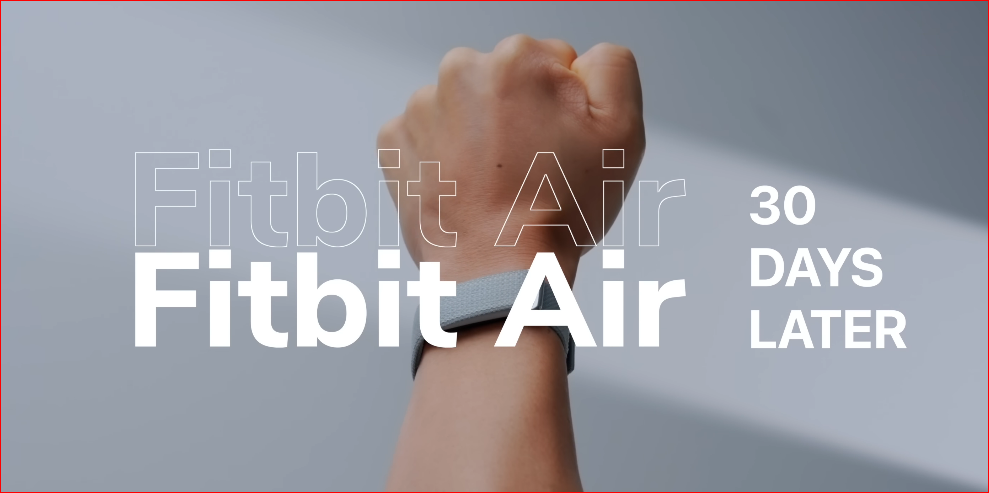
It is thin, extremely light, and almost disappears on the wrist. I used the performance loop in obsidian, and after a while I genuinely forgot it was there. The tracker module sits inside the strap, so the whole setup feels discreet and simple.
Now compare that to the Apple Watch Ultra. It is premium, no doubt. It is also big, bold, and heavy. That is fine during the day, but it matters at night.
I rarely used the Apple Watch Ultra for sleep tracking because I did not want to wear that hulking thing to bed. The Fitbit Air changed that immediately. It is comfortable enough to wear through the night without thinking about it, and that matters more than people realize.
Sleep Tracking Is Useful, Not Perfect
The Fitbit Air uses vibration alerts for alarms because there is no display. I actually liked that a lot. The vibration is subtle, and you can change the intensity too. It is a much calmer wake-up experience than getting blasted by a loud phone alarm.
As for the sleep tracking itself, it is not perfect. I would call it above average.
Most of the time it gets the broad picture right, but it can make mistakes. For example, there was an instance where it showed I woke up at 5:44 a.m. when I had actually woken up at 6:30. So no, I would not treat sleep data as absolute truth.
But here is the practical reality: the best sleep tracker is not necessarily the most technically accurate one. It is the one you can comfortably wear all night.
Broad insights, tracked consistently, are often more valuable than perfect numbers from a device you do not even want to wear.
Endurance: Battery Life Feels Liberating
Battery life is another major advantage.
In my use, the Fitbit Air lasted nearly nine days on a charge. I took it off the charger at 100 percent on June 14 at around 12:30 p.m., and by June 23 at about 7:30 a.m., it still had 10 percent battery left.
That is excellent endurance, especially coming from an Apple Watch Ultra, which already has good battery life by smartwatch standards at around two days. Still, going from two days to almost nine changes how you think about the device. You stop managing battery and start forgetting about it, which is exactly what I want from a health tracker.
The Charging System Is the One Missed Opportunity
Charging is done by removing the tracker from the strap and placing it on a puck. That works, but it is not ideal.
If you have used something like Whoop, you know how elegant a wireless charging puck can be. You keep wearing the band while it charges, so tracking remains uninterrupted. With the Fitbit Air, you have to take it off, which slightly defeats the whole 24/7 tracking promise.
I would love to see Google or a third-party brand create a wireless charging puck for this. I would buy that instantly.
The Balance: The Best and Worst Thing About Fitbit Air Is the Missing Screen
The lack of a display is both the Fitbit Air’s greatest strength and its biggest limitation.
Most of the time, I loved it. No screen. No notifications. No tiny computer begging for attention.
But in the gym, I did miss the Apple Watch Ultra.
I have built a habit of glancing at my wrist between sets to check my heart rate. With the Fitbit Air, I cannot do that. There is no screen, so there is nothing to glance at.
That also affects workout tracking convenience.
Workout Tracking Is Good, But Not Standalone
With the Apple Watch Ultra, I can start a workout directly from the watch and leave my phone alone. It feels self-contained and efficient.
With the Fitbit Air, I have to rely on my phone whenever I want to track a workout. That means it is not really a standalone fitness device in the same way a smartwatch is.
So if your workouts depend on live stats, quick control from the wrist, or phone-free convenience, a smartwatch still has a big edge.
Heart Rate Data Was Surprisingly Close
After workouts, I compared the data from the Fitbit Air and the Apple Watch Ultra. The heart rate fluctuations during exercise and the final average heart rate were very similar between the two.
This was not a lab test, so I am not presenting it as scientific benchmarking. But in real-world use, the Fitbit Air held up well enough to inspire confidence.
Step Tracking Is Good, With One Annoying Flaw
Step tracking was also solid overall. The error rate felt to be around 1 to 2 percent, which is roughly in line with the Apple Watch Ultra and many other wearables I have tested.
But there is one clear problem. If you move your wrists aggressively, it can count extra steps. That should not happen, and it is a genuine issue.
Readiness Data Adds Useful Context
One feature I specifically appreciated was the readiness score. Instead of simply dumping raw data on you, the Fitbit Air tries to tell you whether your body is actually ready for a workout.
From my own experience and understanding of how my body responds to sleep, recovery, and training load, I felt the readiness score was often sensible.
And this is exactly why screenless fitness trackers can be interesting. They are not just counting things. At their best, they help explain what those numbers mean.
- Sleep score is one thing
- Step count is one thing
- Average heart rate is one thing
- Calorie estimates are one thing
But actionable interpretation is where these products become genuinely useful.
The Ecosystem: Google Health Works Better Than I Expected
The part that surprised me most was the Google Health app.
I know many long-time Fitbit users are unhappy about the shift away from the older Fitbit experience. That makes sense. People get attached to dashboards, habits, and app layouts they have used for years.
But coming into it fresh, I found the Google Health app quite good. I did not have major complaints.
A Quick Privacy Reality Check
Google says Fitbit health and wellness data is not used for ads, but you are still handing over continuous biometric information. If privacy is a major concern for you, this is something worth examining closely before buying in.
To be fair, this is not unique to Google. It is a broader reality with most fitness trackers, though Apple generally has a stronger reputation in this area.
Basic Tracking Does Not Need a Premium Subscription
This part is important. You do not need the premium subscription for the basics.
Without paying extra, you can still track:
- steps
- heart rate
- workouts
- sleep
The premium subscription adds the AI coach, and for me that is where things get really interesting.
The Intelligence: Why Ask Coach Feels Useful Instead of Gimmicky
AI coaches often sound like a feature designed more for marketing than for actual use. I expected that possibility here too.
But Ask Coach ended up being genuinely helpful.
One example was when I was walking indoors on a treadmill and mistakenly selected the general walk mode. That mode calculates outdoor walking, so the distance data was off. I asked Ask Coach what was going wrong, and it helped me understand the issue. It also pointed me to the option for manually editing the workout data.
That may sound like a small thing, but it is exactly the kind of assistance normal people need from a health app. Not abstract AI fluff. Just direct help.
Something is wrong. Tell me why. Tell me how to fix it.
That is useful.
Contextual Guidance Makes the Data More Actionable
What I liked even more was the way Ask Coach could frame the day for me. For example, it could tell me that my body was ready to move after fasting, suggest avoiding an outdoor walk because it might rain in Pune, and remind me that the device battery was running low.
That kind of contextual nudge is far more valuable than a dashboard full of disconnected metrics.
Goals and Meal Logging Fit Into the Same Workflow
Ask Coach also helps with goal setting and meal logging. Right now, I am trying to stay under 1,800 calories while getting more than 100 grams of protein every day. I track that through Google Health.
For me, this is much better than maintaining a spreadsheet. I used to do that. Then I moved to ChatGPT for help. But now, because Google Health and Ask Coach are integrated with the Fitbit Air, it all lives in one place.
That integration matters.
The Apple Watch Ultra gives you a lot of useful metrics too, especially at the high end. But it often stops at the metrics. It does not really tell you what to do next. That is where Fitbit Air, combined with Google’s AI layer, feels more personal and more actionable.
Price: One of Google’s Best Value Products in a Long Time
Globally, the Fitbit Air launches at $99. In India, I expect it to land somewhere around Rs. 10,000 to Rs. 13,000.
At that price, you can simply buy it and start using the core tracking features immediately. If you want the premium subscription, it costs Rs. 99 per month, and it gets even cheaper on an annual plan.
In my case, I also get the premium subscription bundled with Google AI Pro, which makes the overall package even easier to justify.
Honestly, I think Google has priced this very well. This may be one of the best-priced Google products in a long time.
The Verdict: Who Should Choose Fitbit Air, and Who Should Not
Let me be clear. I am not saying the Fitbit Air is a better product than the Apple Watch Ultra. That would be nonsense.
If you:
- run outdoors regularly
- train with structured intervals
- want maps
- want live stats on the wrist
- want to leave your phone behind
Then the Apple Watch Ultra, or another full smartwatch, is the better choice.
But that is not what the Fitbit Air is trying to be.
The Fitbit Air is a background health tracker. That is exactly why I like it. It does one specific job, stays out of the way, and gives me the kind of health guidance I actually care about.
I do not need my fitness tracker to be a notification machine. I do not need it to act like a wrist computer. I definitely do not need games on it.
I just want something discreet that quietly tracks my health while I wear a traditional analog watch, maybe with a mechanical movement, on the other wrist.
And for that use case, the Fitbit Air makes a whole lot of sense.
Why This Shift Makes Sense for Me
After five years with Apple Watch, and after real results in my own fitness journey, I still found myself moving away from the smartwatch model. Not because smartwatches are bad, but because they had become more than I needed.
The Fitbit Air helped me realize something simple:
The best wearable is not always the most powerful one. Sometimes it is the one that disappears, stays comfortable, lasts longer, and gives just enough intelligence without becoming another distraction.
That is why my friendship with the Apple Watch Ultra ends here, and my friendship with the Fitbit Air begin