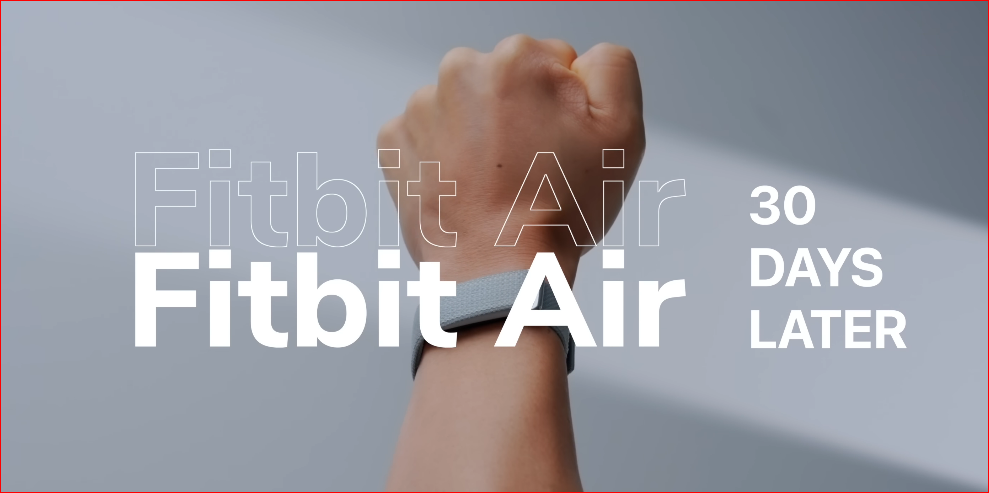
I wore the Fitbit Air every day for a month through international airports, a week-long tennis camp in Bali, gym sessions, tropical heat, and regular day-to-day life. After all that, the real question is pretty simple: is this just a $99 novelty, or is it actually one of the smartest fitness tracker buys right now?
My short answer is this: the Fitbit Air is not the most advanced tracker I’ve used, and it definitely is not the most accurate. But it nails something a lot of wearables still get wrong. It’s so comfortable and unobtrusive that you actually want to keep it on.
That matters more than people think, especially for a screenless wearable that’s supposed to stay on your wrist 24/7.
Design is the Fitbit Air’s biggest strength
The best thing about the Fitbit Air is how completely it disappears on your wrist. Compared with a Whoop, Apple Watch, or even an Oura Ring, this is the wearable I noticed the least.
I wore it during long tennis sessions, in the gym, sprinting through airports, and even in the sauna. Most of the time, I genuinely forgot it was there. For this category of wearable, that is not a minor win. Comfort is the whole game.
If a health tracker is designed to be worn all day and all night, then anything that irritates your wrist, feels bulky, or constantly reminds you it exists becomes a problem. The Fitbit Air gets this part very right.
The strap is better than Whoop’s
The strap mechanism is also cleaner and less annoying than Whoop’s. I’ve had issues with the Whoop clasp for years because it tends to pop open while you’re putting it on. It sounds minor until you deal with it every single day.
The Fitbit Air feels simpler and more refined in this area. It’s easy to put on, easy to live with, and overall just less fussy.
It really does feel light, but there is one design issue
The “Air” branding is actually accurate. The band feels light, minimal, and far less sweaty on the wrist than thicker wearables. Even after hours of training, it never had that heavy, damp feeling I often get from other wrist-based trackers.
That said, I did run into one cosmetic issue. The blue wristband started to discolor on the underside after a lot of sweat and long training days. It took on a brownish tint that honestly did not look great.
That kind of wear is not shocking if you’re sweating into it for hours every day, but if you’re choosing a color, I’d probably avoid the blue.
Battery life is solid, just not class-leading
Battery life on the Fitbit Air is good enough that it won’t become a constant headache. I traveled for 10 days and only needed to charge it once at the end of the trip.
That is respectable. But Whoop still has the edge here. I could comfortably do that same trip with Whoop and not even bother packing a charger.
Where Fitbit makes up ground is charging speed:
- About 5 minutes of charging gets you roughly a full day of use
- A full charge takes around 90 minutes
So while the battery life is not the best in class, the fast charging makes it much easier to live with.
Fitness tracking is good, but not performance-grade
I pushed the Fitbit Air pretty hard during testing, especially during a week of tennis training in Bali where I was on court five to six hours a day. That kind of environment is a great stress test because it combines heat, sweat, repeated bursts of effort, and long duration.
The result: the fitness tracking is good, but it is not great.
Heart rate tracking holds up reasonably well in real time
In live heart rate tracking, the Fitbit Air was surprisingly competitive with Whoop. It was not getting completely blown out. In many situations, it stayed close.
But there was still a meaningful difference in how quickly the data got processed. Whoop was faster at auto-detecting activities and logging them, often by 10 to 20 minutes.
That may not sound like a huge deal, but it adds to the overall feeling of responsiveness and polish.
It struggles more during high-intensity, stop-start sports
The biggest weakness showed up during tennis.
Tennis is brutal for wrist-based heart rate tracking because your body is constantly shifting gears. You sprint, stop, recover, then explode into the next point. Heart rate is bouncing all over the place, and rapid fluctuations are difficult for any wrist tracker to read perfectly.
In those situations, Whoop did a better job keeping up with what my body was actually doing. There were training days in the Bali heat where I felt absolutely cooked, and the Whoop reflected that exhaustion more clearly than the Fitbit Air.
That is where you can feel the distinction between a general wellness tracker and a more performance-focused tracker.
The comfort comes with a hardware trade-off
This is not really a software problem. It is a hardware compromise.
Fitbit has made the Air impressively thin and comfortable, but that design choice comes with limits. The thinner you make a wearable, the harder it becomes to capture perfectly accurate heart rate data during intense exercise.
So the same design that makes this thing feel invisible on your wrist also contributes to the gap in exercise accuracy compared with more advanced wearables like Whoop or the latest Garmin devices.
It performs better with steady-state cardio
Where the Fitbit Air makes a stronger case for itself is with activities where heart rate stays more stable.
For things like:
- Longer runs
- Cycling sessions
- General cardio with less erratic effort changes
In those scenarios, it performs noticeably better.
Step counting was also surprisingly accurate in my testing, and the cardio load feature gives a useful high-level snapshot of whether you’re building fitness or recovering across the week.
Is it as sophisticated as Whoop’s strain score? No.
But it is also free once you’ve bought the device, and for most people, that level of insight is probably enough.
Sleep tracking is where the Fitbit Air really impressed me
This was the part of the experience that stood out the most over the month.
The Fitbit Air did a genuinely good job distinguishing between simply lying in bed and actually falling asleep. That sounds basic, but a lot of wearables still blur that line.
It also handled naps well and did a solid job catching overnight wake-ups.
One of the clearest examples came on the first night of the training camp. I woke up around 3:00 a.m. sweating and feeling terrible. The next morning, I was still trying to convince myself I could push through and get back on court.
When I looked back at the data later, the readiness score and recovery metrics had already dropped before I fully admitted to myself how run down I was feeling.
That is where a tracker starts becoming useful in a real-world way. Not because it gives you some magical answer, but because it reflects patterns your body is already showing, sometimes before you consciously accept them.
No subscription is a massive part of the appeal
This is one of the Fitbit Air’s biggest advantages, and honestly, one of the reasons I appreciated it so much after a month.
There is no subscription fee.
That means you buy the tracker once for $99 and get the core health and sleep features out of the box. In a market where companies keep pushing recurring fees for access to your own data, that feels refreshingly straightforward.
For context, Whoop starts at $199 per year, and even its entry-level tier does not include everything. If you want features like skin temperature data, you need to step up to a higher plan.
That changes the value equation quite a bit.
With the Fitbit Air, you are getting:
- Sleep tracking
- Recovery and readiness insights
- Heart rate monitoring
- Activity and cardio load data
- No ongoing membership cost
Over five years, that could easily mean saving more than $1,000 compared with Whoop.
For anyone who is not training at an elite level, that is a very compelling argument.
The Google Health app is the weak point right now
As much as I like the hardware and the value proposition, the app experience still needs work.
Right now, the Google Health app feels rough around the edges.
Some of the main issues are pretty obvious:
- Core metrics are buried behind too many layers in the interface
- Workouts can take up to 30 minutes to appear after you finish
- The Gemini-powered AI health coach tends to over-explain simple things
The AI part especially feels unnecessary at times. Nobody needs a giant motivational essay because they went for a five-minute walk.
So yes, the app is currently the biggest compromise.
There are signs it will improve
To Google’s credit, it seems aware of the problem. A public roadmap with more than 39 fixes was released shortly after launch, and the first major update has already addressed a number of issues.
That is encouraging, because the app does not feel doomed. It feels unfinished.
Still, if you compare it with more mature platforms like Whoop, the gap is obvious today.
Whoop’s three-pillar layout for recovery, strain, and sleep remains one of the cleanest wellness app experiences I’ve used. Other paid platforms may cost more, but right now they still offer a more enjoyable and polished software experience.
What the Fitbit Air actually is
After a month, the clearest way to frame this device is simple:
The Fitbit Air is a $99 sleep and wellness tracker that also does some fitness tracking.
It is not a training-first wearable. It is not trying to replace a dedicated performance device if your main priority is precision during hard workouts.
If you want training-grade data, you are still better off with something like Whoop or Garmin.
But if you want most of the value for a fraction of the cost, this becomes very attractive.
That is really the trade-off at the center of this whole product:
- You give up some sensor accuracy, app polish, and advanced performance insight
- You gain comfort, simplicity, sleep tracking, wellness data, and freedom from another yearly subscription
Who should buy the Fitbit Air?
The Fitbit Air makes the most sense for people who care about health tracking but do not want to overpay for it.
It is a smart fit if you want:
- A lightweight, screenless wearable you can comfortably wear 24/7
- Strong sleep tracking without a monthly or yearly fee
- Useful wellness and recovery data
- Decent activity tracking for everyday fitness
- A lower-cost alternative to Whoop, Oura, or high-end Garmin options
It is a weaker fit if your top priority is:
- Best-in-class heart rate accuracy during intense exercise
- Detailed training analytics
- A polished, mature app experience right now
Final verdict after 30 days
The Fitbit Air is not the most advanced health tracker I’ve tested. It is not the most accurate. And it definitely does not have the best app.
But it gets a surprising amount right.
It is beautifully designed, genuinely comfortable, and easy to wear all day and night. Sleep tracking is strong. General wellness data is useful. And the fact that you are not renting access to your own health metrics through a subscription makes this device stand out in a crowded wearable market.
If you want the absolute best performance tracking, look elsewhere.
If you want 80 percent of the value at a much lower price, with no subscription fee hanging over your head, the Fitbit Air is one of the smarter buys in health tech right now.
After a full month, that is what stuck with me most. Not that it was perfect, but that I never once wanted to take it off.